Help home Care Circle (family support)
Care Circle (family support)
Care Circle connects a person who walks with a family member or friend who supports them, called a caregiver.
What is Care Circle?
Coming to everyone soon. You may not see this on your phone yet.
It lets someone who cares about you see that you are walking and doing okay. They can send you cheers and messages.
You choose exactly what they see. You can stop sharing any time.
What can my caregiver see?
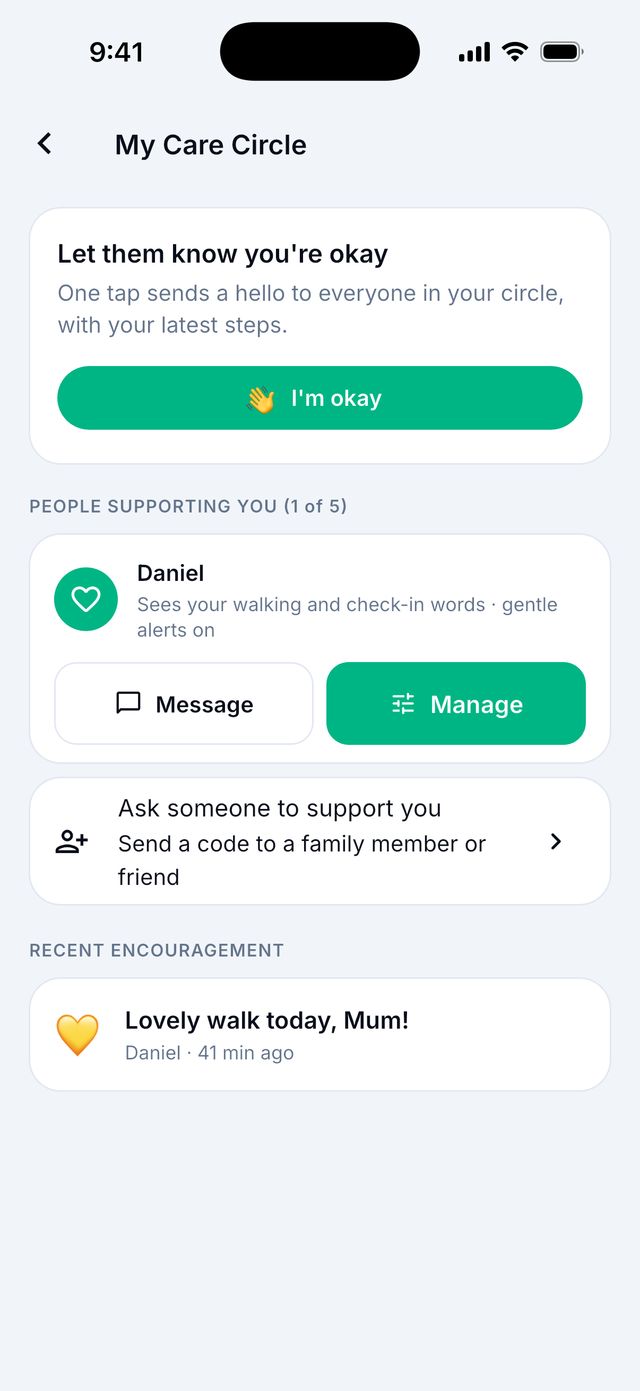
Only what you allow. You can share:
- Walking activity: your steps and goal.
- Check-in words: the word you pick each day, like Good or Low.
Good to know: A caregiver never sees your photos, notes, walk maps or where you are.
Someone gave me a code. How do I add them?
- Open Settings › Privacy › Care Circle code.
- Paste or type the code they sent you.
- Tap Continue.
- Read what they will see. Tap Allow to say yes, or Decline to say no.
Good to know: Codes work for 7 days.
How do I change or stop what I share?
- Open Settings › Privacy › My Care Circle.
- Tap Manage next to the person.
- Turn Walking activity or Check-in words on or off. You can also choose how long to share.
- To stop for a while, tap Pause sharing. To stop for good, tap Remove them from your circle.
What does the “I’m okay” button do?
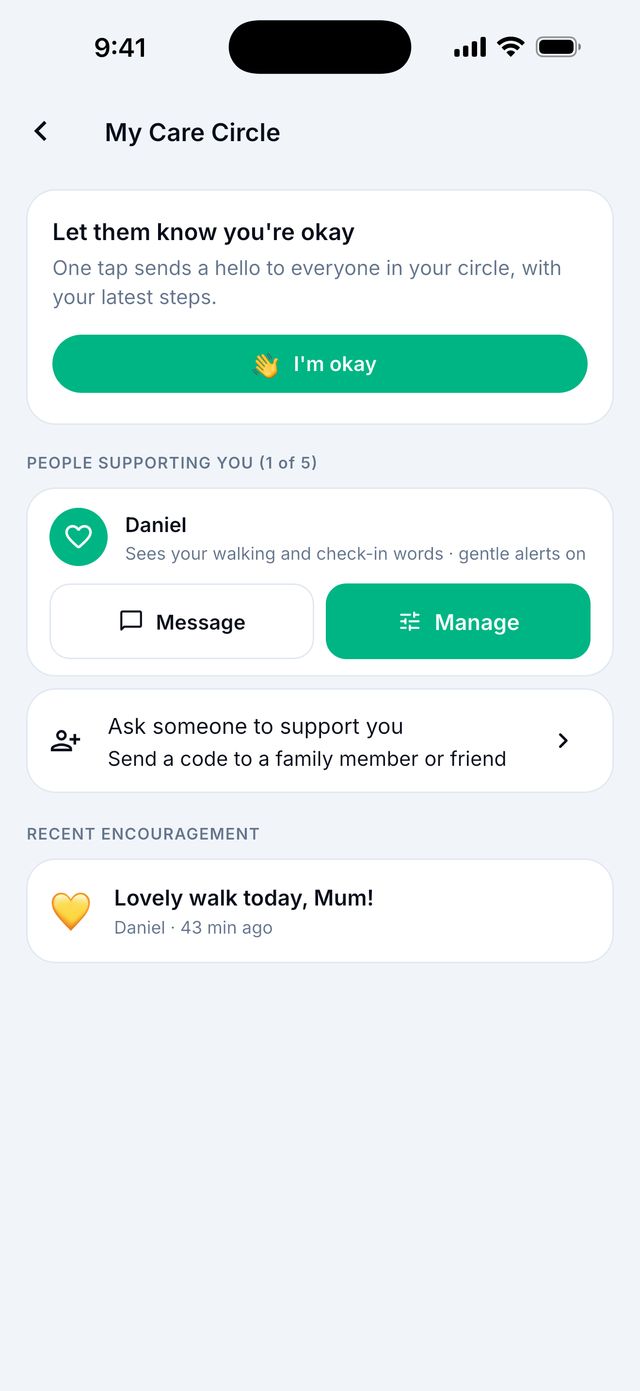
It sends a quick hello to everyone in your Care Circle, with your latest steps. You can add a short note, like Out for a walk.
How do I support a loved one as a caregiver?
Caregiver
You need the Caregiver membership. You can support up to 5 people.
- Tap your round picture at the top right, then Caregiver.
- Tap Invite a loved one. The app makes a code.
- Send the code to your loved one. They add it in their app.
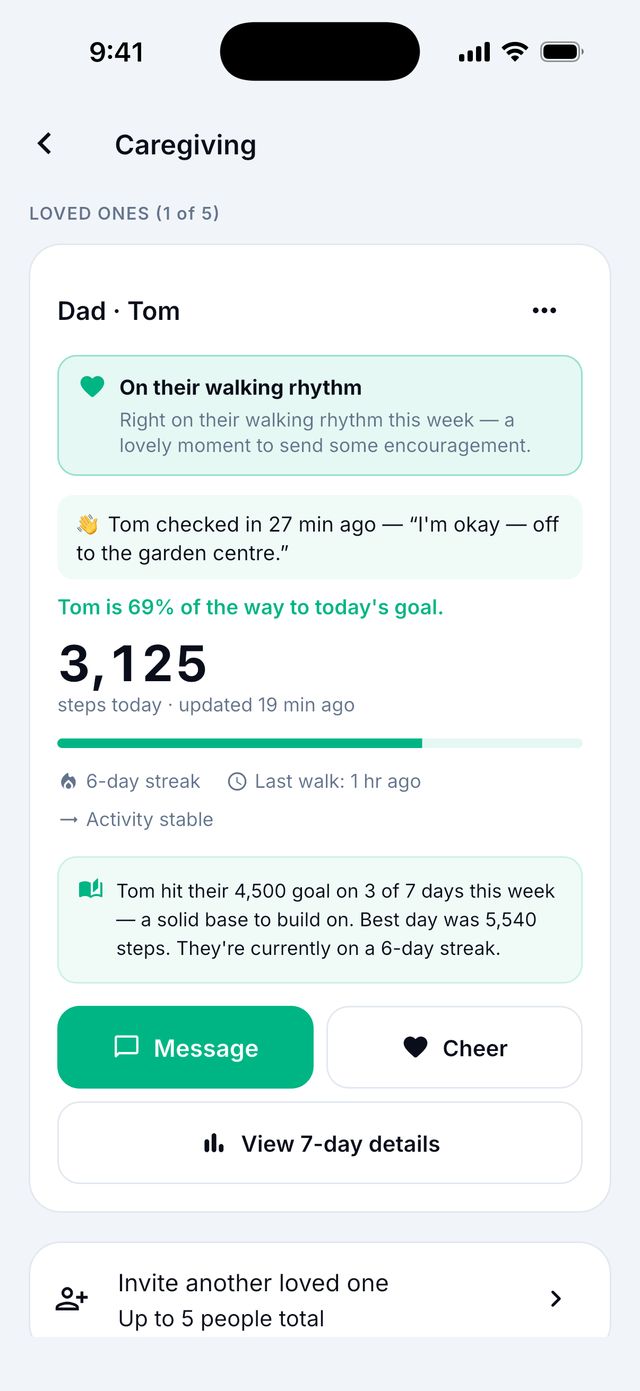
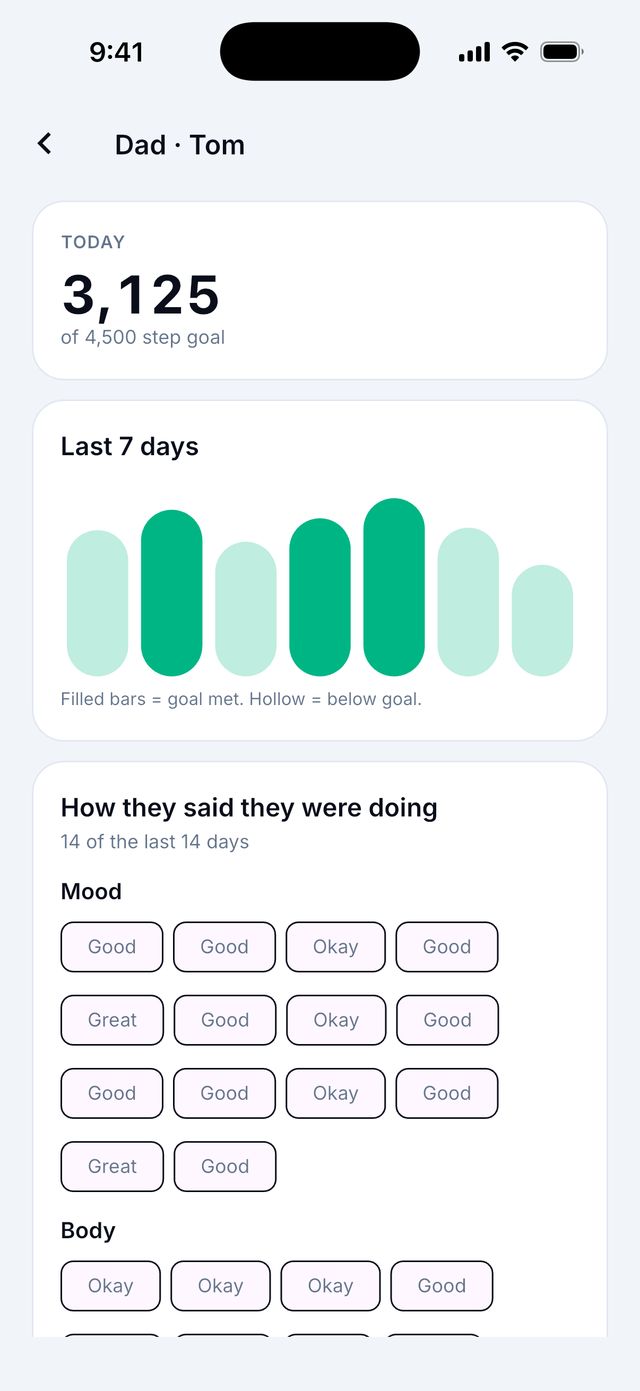
- When they accept, they appear on your dashboard. You can Cheer, Message or View 7-day details.
Not a member yet? Tap Caregiver to see an example of the dashboard first.
Good to know: “No recent update” means your loved one’s phone has not sent new steps for over a day. Ask them to open the app.