Help home Steps, Apple Health and Health Connect
Steps, Apple Health and Health Connect
Siyan Stride gets your steps from your phone’s health app. This page explains how that works and what to do if steps are missing.
Where do my steps come from?
Your phone counts your steps all day, even when Siyan Stride is closed. It saves them in a health app:
Siyan Stride reads your steps from there. It only reads. It never changes your health data.
It also reads distance, active minutes, calories and heart rate if you allow it.
- iPhone: Apple Health
- Android: Health Connect
How do I connect Apple Health on iPhone?
- Open Siyan Stride.
- Tap your round picture at the top right, then the gear icon for Settings.
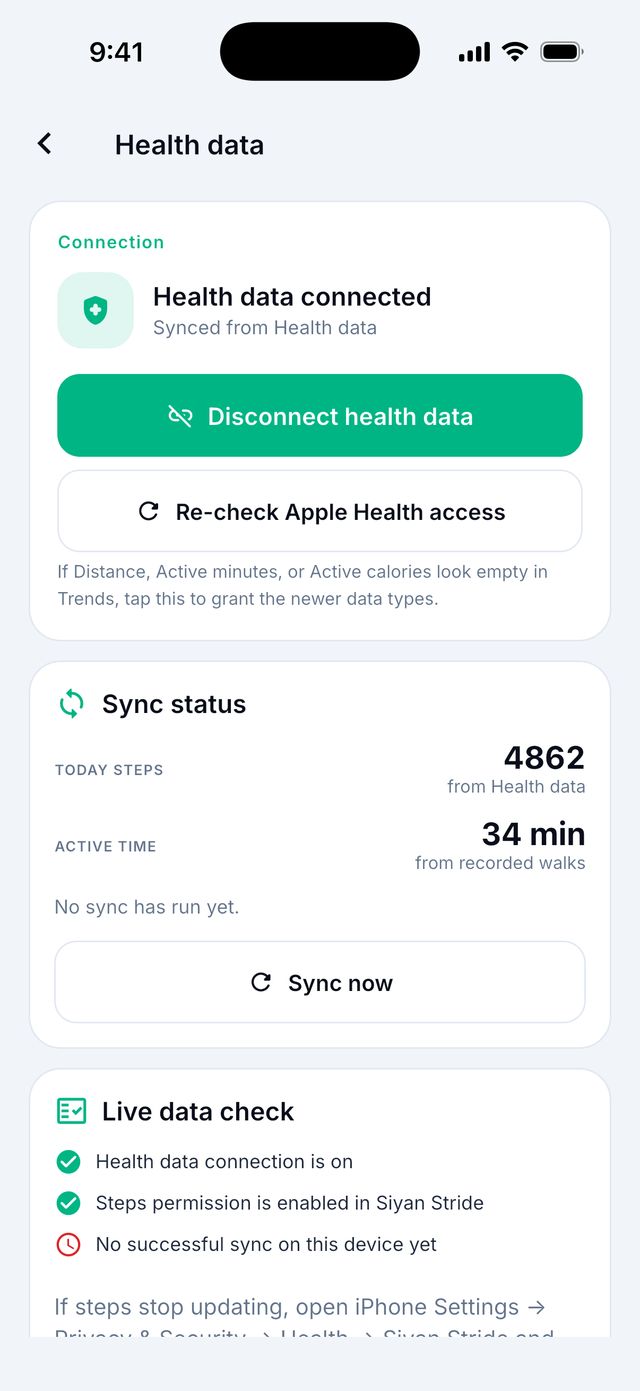
- Tap Health data.
- Tap the button to connect Apple Health.
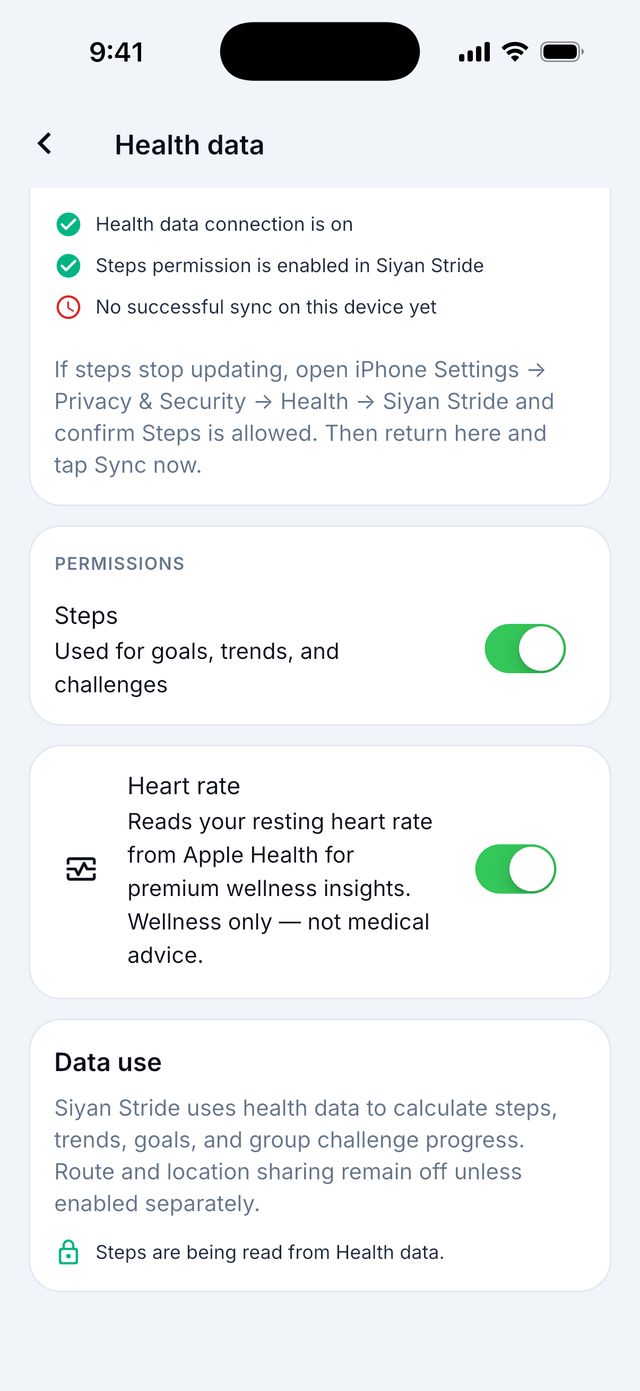
- A list from Apple appears. Turn on Steps. You can tap Turn On All.
- Tap Allow.
Tip: Already said no by mistake? On your iPhone, open the Settings app, then Health, then Data Access & Devices, then Siyan Stride, and turn the switches on.
How do I connect Health Connect on Android?
- Open Siyan Stride.
- Tap your round picture at the top right, then the gear icon for Settings.
- Tap Health data.
- Tap the button to connect Health Connect. If the app says you need Health Connect, tap Get Health Connect, install it from Google Play, and come back.
- Health Connect opens. Allow Steps. The others, like heart rate, are optional.
- Go back to Siyan Stride.
I have a Samsung phone and my steps show 0. How do I fix it?
Samsung phones keep steps in Samsung Health. Samsung Health has to share them with Health Connect first. Then Siyan Stride can read them.
- Open the Samsung Health app.
- Tap the menu (≡), then Settings.
- Tap Connect with apps, then Health Connect.
- Turn on Steps.
- Open Siyan Stride. On the Today screen, pull down with your finger to refresh.
Still 0?
- Restart your phone.
- In your phone’s settings, set the battery use for Health Connect to Unrestricted.
- In Health Connect, put Samsung Health first in the list of data sources for steps.
- In Siyan Stride, open Settings, then Health data, and use the buttons under Fix sync (one tap each).
How often do my steps update?
Your steps update when you open the app, and when you come back to it.
To update right now, go to the Today screen and pull down with your finger. Let go and wait a moment.
Tip: If you wear an Apple Watch, the iPhone can take a few minutes to get the watch’s steps. Wait 5 minutes and pull down again.
What is “sample data”?
If the app cannot read your steps yet, it shows made-up numbers so you can see how it works. It says Sample data on the screen.
Connect Apple Health or Health Connect, and your real steps replace the sample.
Do the walks I record add extra steps?
No. Your phone already counts those steps. If the app added them again, you would count the same steps twice.
Your daily total always comes from Apple Health or Health Connect. A recorded walk saves extra details, like time, map and how you felt.
Good to know: On a day with no steps in your health app at all, the app uses the steps from your recorded walk instead.
Can I type in steps by hand?
No. The app only uses steps that your phone or watch counted. This keeps everyone’s numbers fair, for example in groups and challenges.
How do I check that my steps are connected?
- Open Settings (round picture at the top right, then the gear).
- Tap Health data.
- Look at Sync status. Tap Sync now to try again.
- Tap Re-check Siyan Stride permissions if something looks wrong.