Help home How you feel: check-ins
How you feel: check-ins
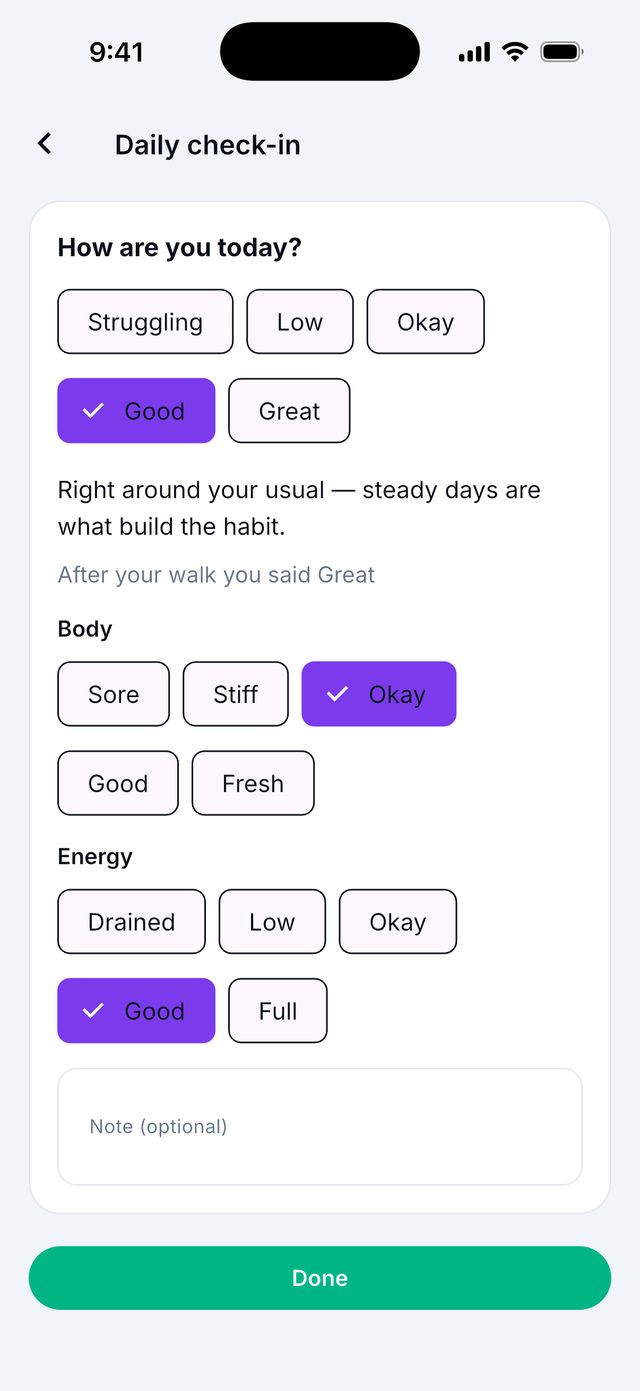
A check-in is a quick answer to How are you today? It helps you see how walking and your mood go together.
How do I do a daily check-in?
- Go to Today.
- Find How are you today?
- Tap one word: Struggling, Low, Okay, Good or Great.
- That’s it. Your answer is saved right away. There is no save button.
Tip: Want to say more? Tap Add body and energy. You can also write a private note.
I tapped the wrong word. How do I change it?
Just tap a different word. The app shows Updated for today.
To remove your answer, tap the same word again. You can tap Undo if you change your mind.
What are “body” and “energy”?
They are 2 more quick questions. They are optional.
- Body: Sore, Stiff, Okay, Good or Fresh.
- Energy: Drained, Low, Okay, Good or Full.
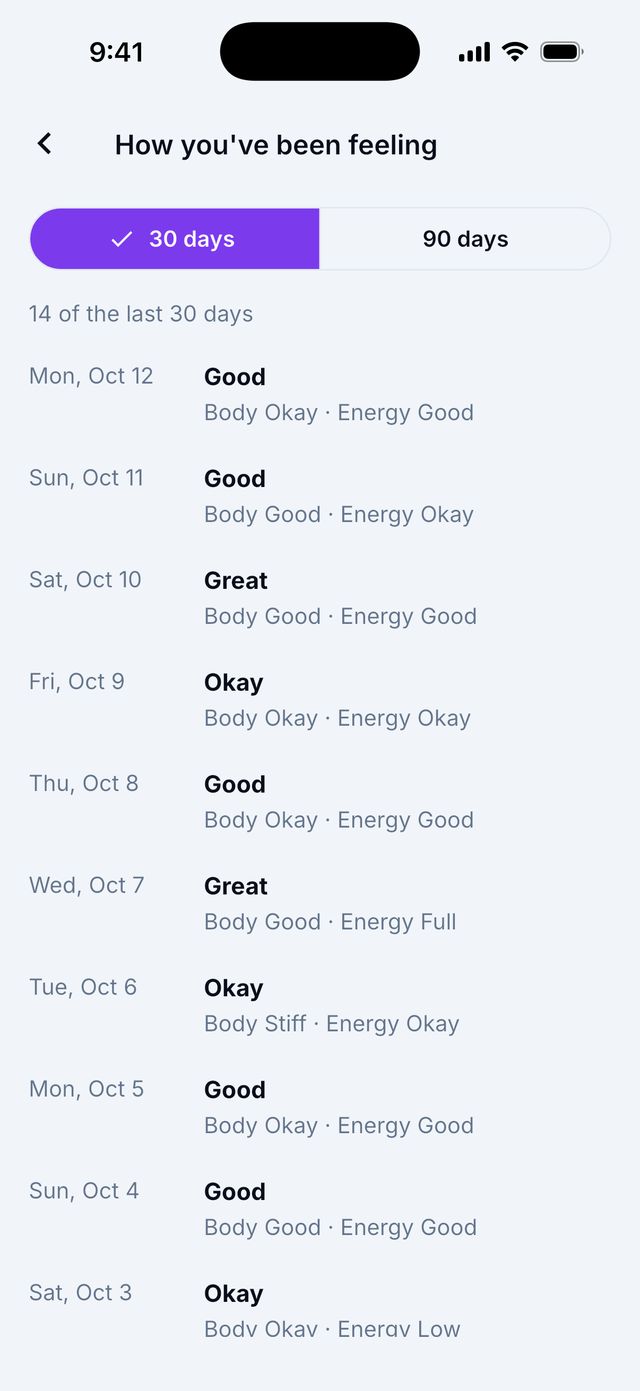
Where can I see how I felt before?
- On the Today check-in card, tap See your week. Or go to Progress and find your check-ins.
- Choose 30 days or 90 days.
Who can see my check-ins?
Only you, unless you choose to share them. In a Care Circle, you can let a family member see your check-in words. Your notes stay private.
Can the app remind me to check in?
- Open Settings › Notifications.
- Turn on Daily check-in reminder.
- Pick a time in Check-in reminder time.
Good to know: If you already checked in that day, the reminder does not come.
I feel very bad. Can the app help?
Siyan Stride is a wellness app. It cannot help in an emergency.
If you are in danger or thinking about hurting yourself, in the US call or text 988 right now, or call 911. Outside the US, call your local emergency number.