Help home Recording a walk
Recording a walk
You do not have to record walks. Your steps count anyway. Record a walk when you want a timer, a map, and a note about how you felt.
How do I record a walk?
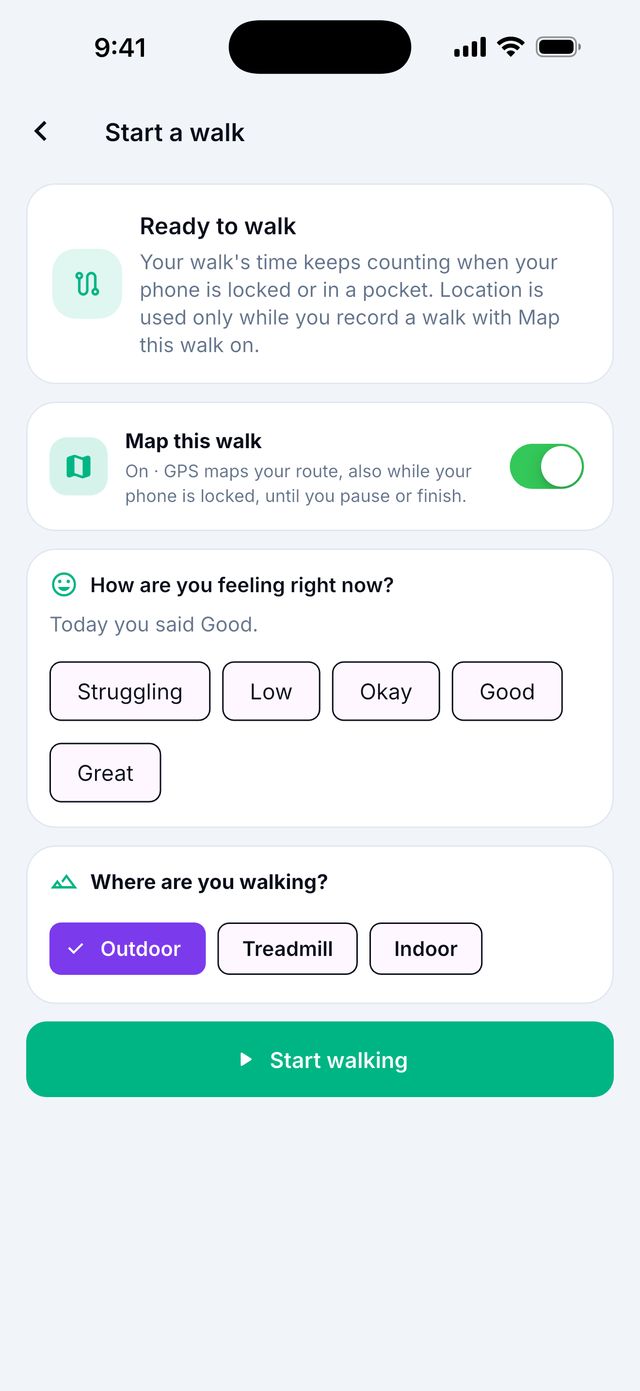
- Go to Today and tap Start a walk.
- Answer How are you feeling right now? if you like. It is optional.
- Choose Outdoor, Treadmill or Indoor.
- Turn on Map this walk if you want a map of your route. Leave it off if you do not want GPS.
- Tap Start walking.
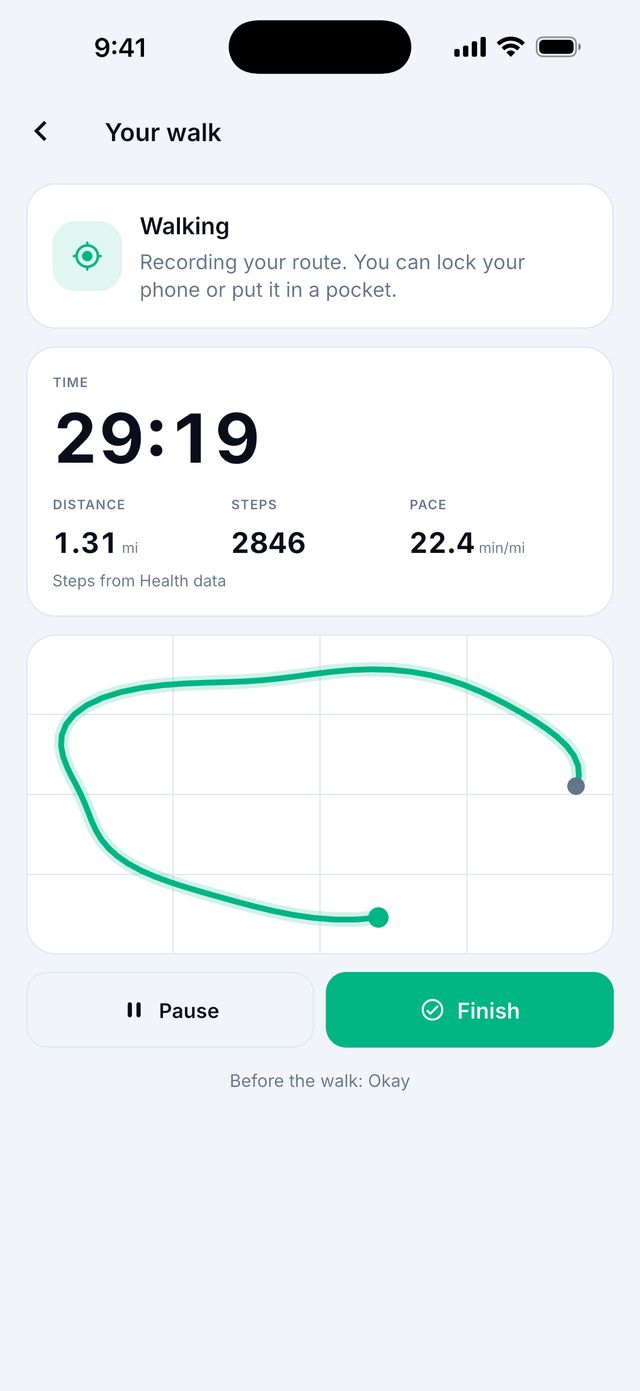
- Walk! You can put the phone in your pocket or lock it.
- When you are done, tap Finish.
How do I pause my walk?
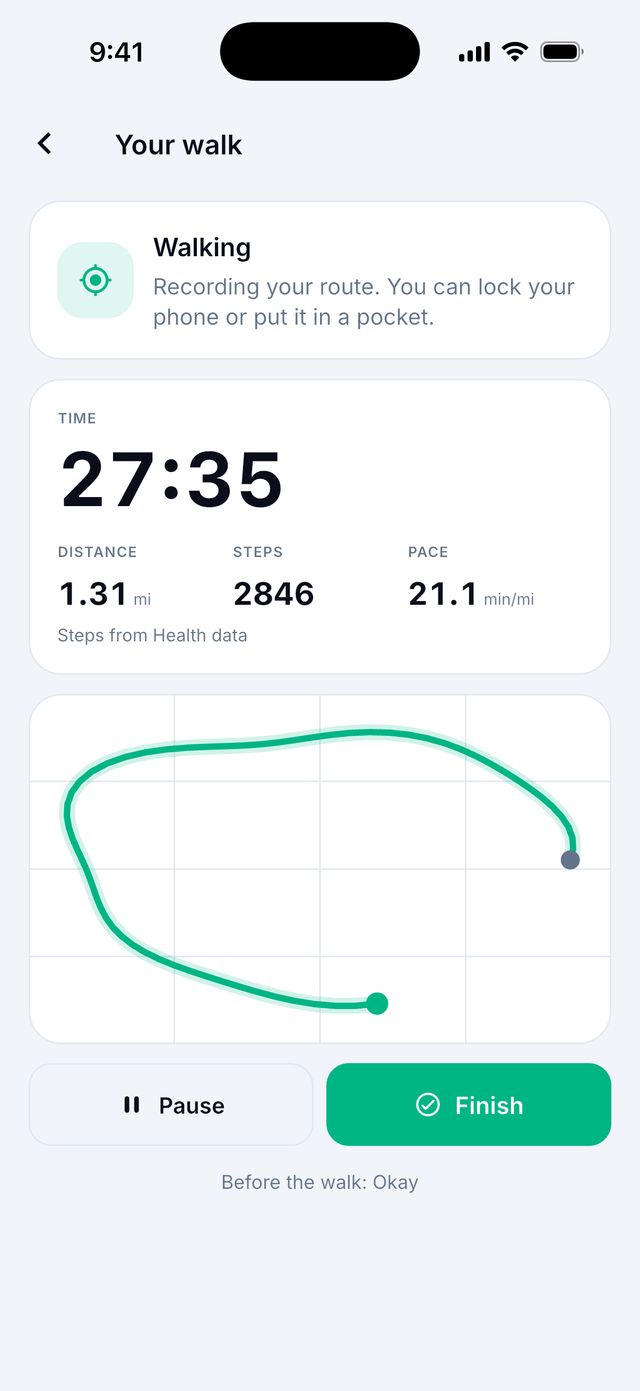
Tap Pause. The timer stops. Tap Resume to keep going.
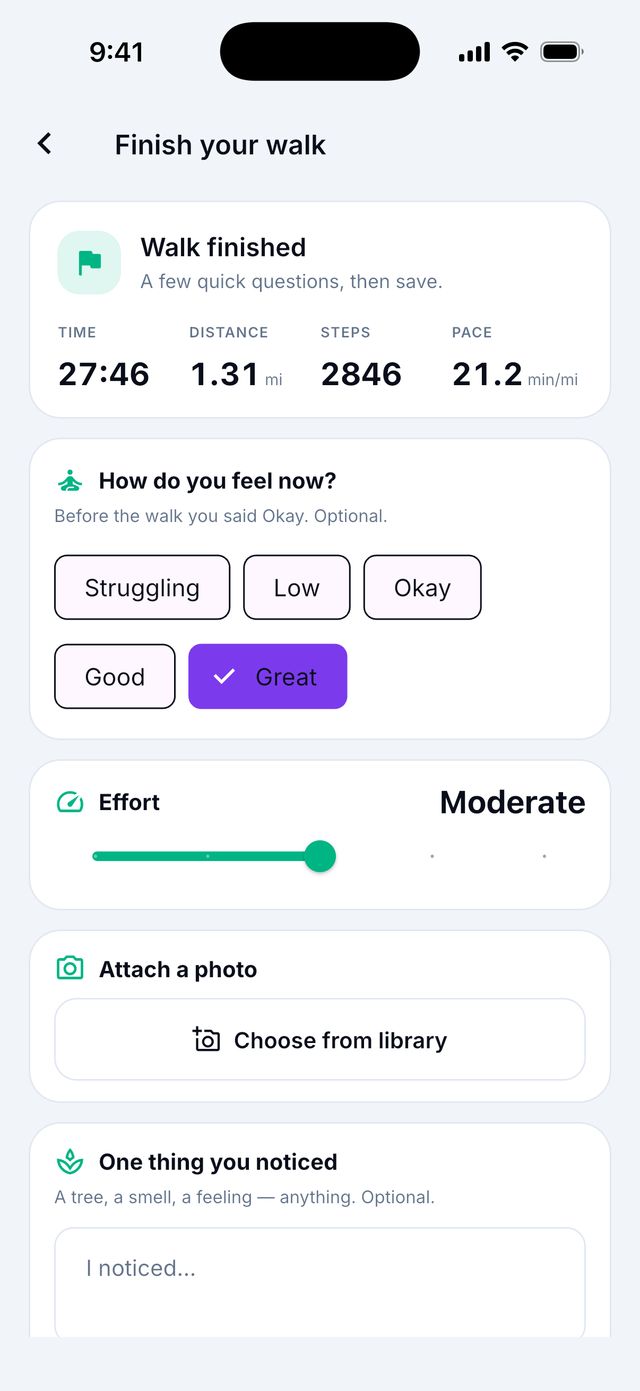
What happens when I finish?
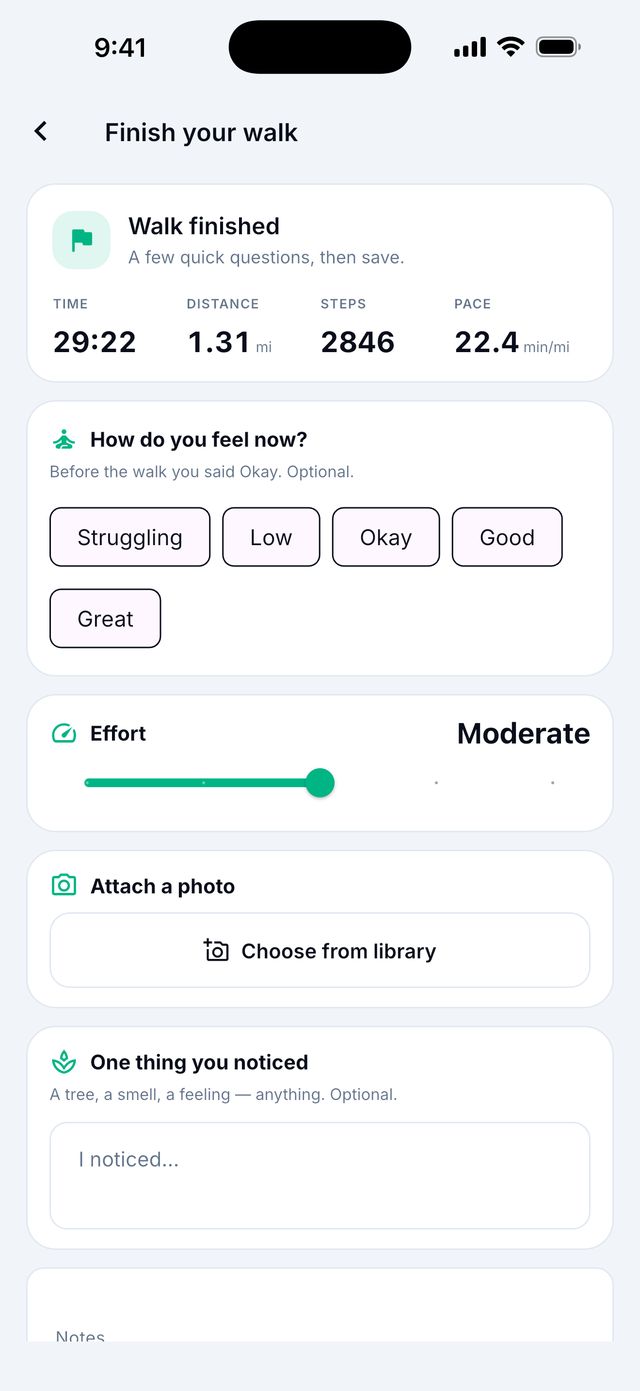
You see a short summary of your walk. You can add a few things. All of them are optional:
Then tap Save walk. If you change your mind, tap Keep walking.
- How do you feel now? Pick a word.
- Effort: how hard the walk felt, from Very easy to Hard.
- Attach a photo: take a picture or choose one.
- One thing you noticed: a tree, a smell, a feeling.
- Notes: anything else.
Will my walk keep recording if I lock my phone?
Usually yes.
- iPhone: for the best result, allow Workouts for Siyan Stride. Open the iPhone Settings app, then Health, then Data Access & Devices, then Siyan Stride.
- Android: you see a Walk in progress notification. Keep it on. It keeps the walk running.
Good to know: If your phone stops the app to save battery, your steps still count. They are added when your health app has them.
Why do my steps say “Counting…”?
The first steps can take up to a minute to appear. Keep walking.
If it stays on “Counting…”, the app may not have permission to see your movement:
- iPhone: Settings app › Privacy & Security › Motion & Fitness › turn on Siyan Stride.
- Android: Settings app › Apps › Siyan Stride › Permissions › allow Physical activity.
Where do I see my past walks?
- Go to the Progress tab.
- Scroll down to Recorded walks.
- Tap a walk to see it.
Change or delete a walk
Open the walk. You can change the effort and notes, then tap Save changes. To remove it, choose Delete walk.
Does the app track my location?
Only if you turn on Map this walk, and only while you record a walk. When the walk ends, location stops.
The setting is off at first. You can change it in Settings › Privacy › Map walk routes.
Good to know: Your groups and family never see your walk maps. Your location is never shared with groups.