Help home Membership and payments
Membership and payments
Siyan Stride is free to use. Paid memberships add extra features. You pay through Apple or Google, not through us.
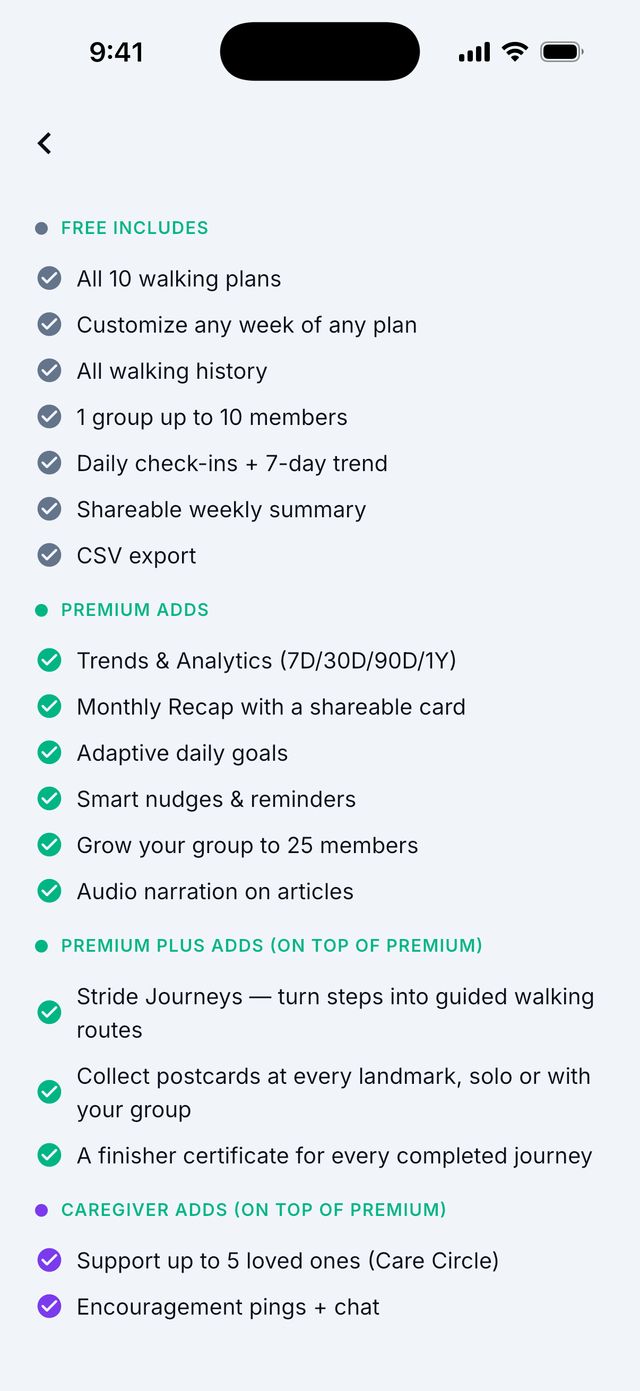
What is free?
- Counting your steps and your daily goal.
- Recording walks and all your walking history.
- All 10 walking plans.
- Daily check-ins.
- Groups of up to 10 people, with chat and cheers.
- The weekly summary and the data download (CSV).
- A free preview of every Journey (the first 10 miles).
What do the paid memberships add?
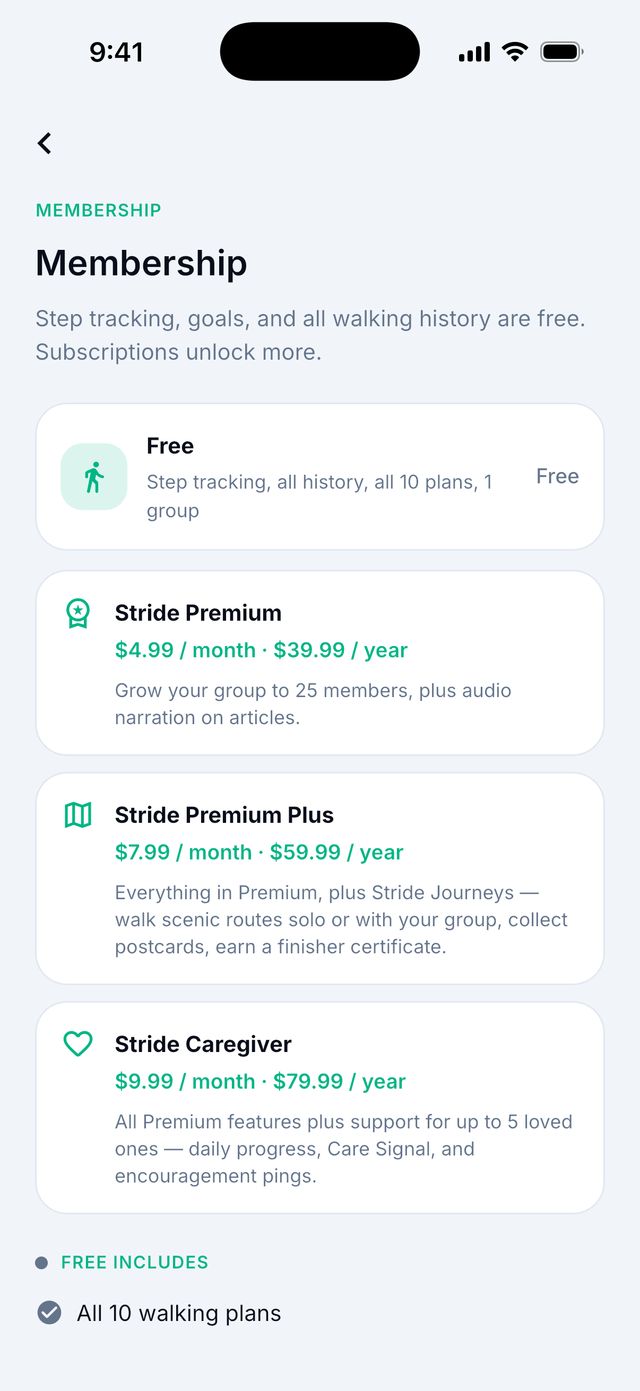
How much does it cost?
The app shows the exact price before you pay. Prices can be different in each country. In the US in October 2026:
- Premium: $4.99 a month or $39.99 a year
- Premium Plus: $7.99 a month or $59.99 a year
- Caregiver: $9.99 a month or $79.99 a year
- Premium: Trends charts, the monthly Recap, goals that adjust to you, smart nudges, groups of up to 25 people, and listening to Library articles.
- Premium Plus: everything in Premium, plus full Journeys, postcards and certificates.
- Caregiver: everything for supporting up to 5 loved ones, and Journeys.
How do I buy a membership?
- Tap your round picture at the top right.
- Tap View membership options.
- Choose a membership and monthly or yearly.
- Confirm with Face ID, Touch ID, your passcode or Google Play.
- Your new features unlock in a few seconds.
Good to know: Memberships renew by themselves until you cancel.
How do I use a promo code?
- Tap your round picture at the top right, then View membership options. (Or Settings › Subscription.)
- Scroll down and tap Redeem a code.
- iPhone: type the code in Apple’s box and tap Redeem.
- Android: type the code in Promo code. Google Play opens. Tap Redeem.
Good to know: Use a code only once. If it does not unlock right away, wait a minute and tap Restore purchases. Do not type the code again.
I paid but nothing unlocked. What do I do?
- Make sure you are signed in to the same Apple or Google account you paid with.
- Open View membership options (or Settings › Subscription).
- Tap Restore purchases.
- Wait a few seconds. You should see Purchases restored.
How do I cancel?
You cancel through Apple or Google. Siyan Stride cannot cancel for you.
On iPhone
- Open the Settings app.
- Tap your name, then Subscriptions.
- Tap Siyan Stride, then Cancel Subscription.
On Android
- Open the Google Play app.
- Tap your picture, then Payments & subscriptions, then Subscriptions.
- Tap Siyan Stride, then Cancel subscription.
Good to know: You keep your paid features until the end of the time you paid for. To avoid a charge after a free trial or free month, cancel at least 24 hours before it ends.
Can I get a refund?
Apple and Google handle all payments. Siyan Stride cannot give refunds. Ask Apple or Google:
- Apple: reportaproblem.apple.com
- Google: in the Google Play app, open Payments & subscriptions › Budget & history, choose the purchase and tap Request a refund.