Help home Plans and goals
Plans and goals
A plan gives you a step goal for each week, so you can build up slowly. Plans are free.
What plans can I choose?
There are 10 plans. Each one is 1 to 4 weeks long.
- First Steps (1 week): 2,000 to 4,000 steps a day.
- Build a Daily Habit (2 weeks): 5,000 a day.
- Busy Schedule (4 weeks): 6,000 a day.
- Active Senior (3 weeks): 4,000 to 6,000 a day.
- Energy Boost (2 weeks): 6,000 a day.
- Walk for Calm (2 weeks): 5,000 a day.
- Recovery Pace (3 weeks): 2,000 to 5,000 a day.
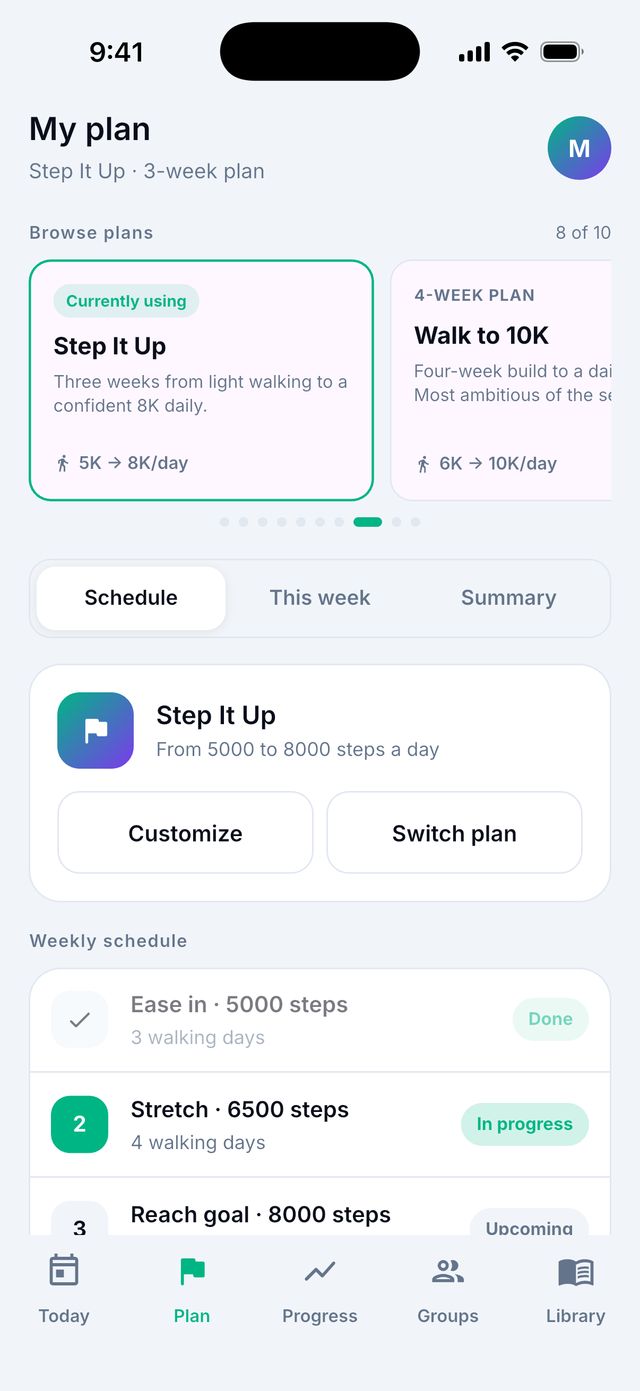
- Step It Up (3 weeks): 5,000 to 8,000 a day.
- Walk to 10K (4 weeks): 6,000 to 10,000 a day.
- 5K Ready (4 weeks): 7,000 a day.
How do I start a plan?
- Go to the Plan tab.
- Tap Pick a plan.
- Tap a plan to read about it.
- Tap Use this plan.
Good to know: You can have one plan at a time. If you pick a new plan, the app asks Replace your current plan? Your changes to the old plan are not kept.
Can I change a week in my plan?
- Go to Plan.
- Tap Customize.
- Tap the week you want to change.
- Change the step goal and Walking days a week.
- Tap Save week.
How do I stop a plan?
Go to Plan and tap Remove plan. Your daily goal goes back to your own goal.
I am sick or on holiday. Can I pause my goals?
Yes. Pausing means no goal and no reminders for a while. Your steps still count.
- Open Settings › Notifications.
- Tap Pause my goals.
- Choose For a week, For a month or Until I turn them back on.
To start again, tap Turn goals back on.